


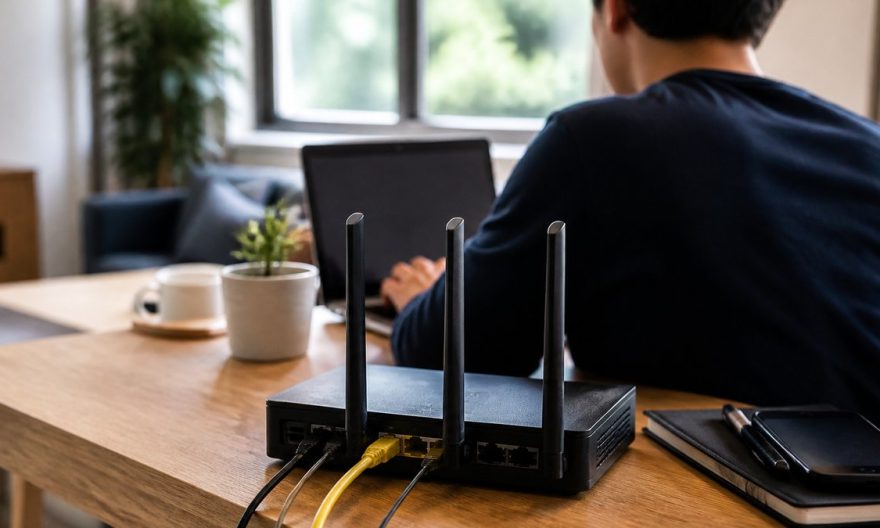
In an era where our homes are transforming into true connected centers, wifi network security remains a major issue. Yet many users continue to make mistakes that expose their network to risks. What are these missteps that compromise the security of your home connection?
The essentials to remember
- A weak password is an open invitation to cyberattacks.
- Not updating your router regularly exposes you to security flaws.
- Using the default SSID makes unauthorized access to your network easier.
Imagine for a moment: you are comfortably settled at home, browsing the Internet in peace. Suddenly, your connection inexplicably slows down. You are still unaware that your neighbor has just connected to your network without any permission. This type of scenario is not uncommon and often results from poor configuration of your wifi system. Discover how to avoid such inconveniences by adopting good security practices.
Weak password: the open door to intrusions
A strong password is the first line of defense against intrusions on your wifi network. According to a recent study, nearly 30% of users continue to use weak or default passwords, such as “123456” or “password.” These combinations are easily guessed by password-cracking software. To secure your connection, choose a long password, mixing numbers, letters, and special characters.
Un vide-dressing occasionnel rapporte rarement plus de 200 € par mois. Mais l'écart avec les vendeurs les plus performants est plus large qu'on ne le pense : 300 à 900 €/mois pour une activité régulière (2 à 5h/semaine), et 1 000 à 2 500 €+/mois pour les profils qui traitent Vinted comme un vrai canal de vente structuré. La différence ne tient ni à la chance ni à la taille du dressing de départ : elle tient presque entièrement à la méthode (algorithme, pricing, réactivité) appliquée avec régularité.
Avec 📘 Le Guide Vinted, transformez ce canal en revenu complémentaire structuré, voire en une vraie activité e-commerce.
Une méthode complète pour décoder l'algorithme, optimiser vos annonces comme une landing page, automatiser votre relance commerciale et sécuriser votre activité sur le plan fiscal.
🧠 Les 5 facteurs qui pilotent la visibilité de vos annonces (logique proche du SEO)
📈 Une méthode réplicable pour passer d'une activité occasionnelle à un revenu récurrent
⚖️ Statut, fiscalité, professionnalisation : rester en règle en montant en volume
🚫 Le chapitre que personne n'aborde ailleurs : comprendre et prévenir les blocages de compte
Experts recommend using a passphrase, a combination of words with no apparent link, but easy for you to remember. For example, “BlueDog123!Forest” constitutes a much more difficult barrier for a cybercriminal to overcome.
Router update: an often neglected imperative
Regularly updating your router is essential to keep your network secure. Manufacturers frequently release firmware updates to fix security flaws. However, many users overlook this crucial step, thus exposing their network to known vulnerabilities.
To ensure optimal protection, configure your router to perform automatic updates. If this option is not available, subscribe to your manufacturer’s newsletters to be alerted of new updates.
Default SSID: a gift for hackers
The SSID (Service Set Identifier) is the name of your wifi network. Using the default SSID, often the name of the router manufacturer, makes your network easily identifiable and attractive to cyber attackers. Indeed, they know the vulnerabilities associated with certain router models and can specifically target these networks.
To enhance security, change your network’s SSID to something more personal and less obvious. Avoid including personal information such as your name or address.
Guest networks: a compromise between security and friendliness
If you often host friends or visitors, offering wifi access may be a necessity. However, sharing your main network can compromise its security. Set up a separate guest network, which allows your visitors to connect without accessing your personal devices or sensitive data.
This guest network should also be secured with a strong password and, if possible, time-limited to avoid unwanted connections after your guests leave.
The security of connected objects: constant vigilance
With the rise of connected objects, many devices latch onto your wifi network, thus increasing the risk of vulnerabilities. Each new device is a potential gateway to your network. Ensure that all connected devices, such as security cameras and smart thermostats, have unique passwords and are regularly updated.
FAQ
Why is it important to have a strong wifi password?
A strong password is crucial because it constitutes the first line of defense against unauthorized access. Weak passwords can easily be guessed or cracked, exposing your network to intrusions.
How can I tell if my router needs an update?
Check your router’s documentation or the manufacturer’s website to verify available updates. Some routers also send notifications to alert the user of new updates.
What is a guest network and why should I set one up?
A guest network is a network separate from your main network, designed to offer Internet access to your visitors without compromising the security of your personal devices. It protects your main network from unauthorized access.
What are the consequences of using the default SSID?
Using the default SSID makes your network easily identifiable by cybercriminals, who can then exploit specific vulnerabilities related to your router model.