


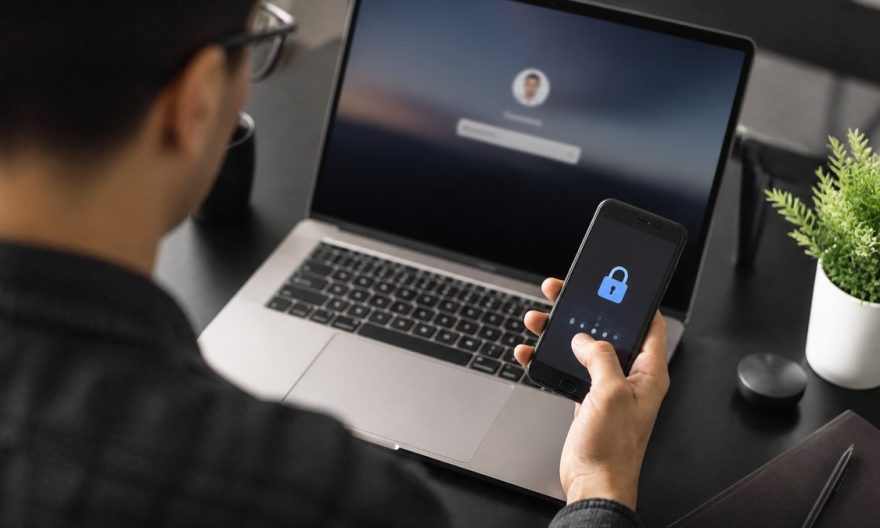
In a world where cyberattacks are becoming increasingly sophisticated and frequent, protecting your personal data has never been more crucial. Two-factor authentication, often overlooked, can be your best ally against intrusions. Here’s why it’s time to adopt it systematically.
Key Takeaways
- Two-factor authentication adds an extra layer of security in addition to your password.
- It protects your accounts against cyberattacks, even if your password is compromised.
- Many large companies, such as Google and Microsoft, recommend its use.
Imagine checking your emails one morning, only to discover that you can no longer access your account. You realize that for several days, a hacker has had access to all your personal data. This is a situation many internet users have faced, but it could have been avoided with two-factor authentication (2FA). In 2026, as cyber threats continue to grow, this security measure has become a necessity, no longer an option.
Google and Major Companies Recommend Two-Factor Authentication
For several years, Google has been at the forefront of promoting online security. In 2021, the company announced that it would automatically enable 2FA for all users. This decision was made following an alarming increase in account hacking attempts.
Un vide-dressing occasionnel rapporte rarement plus de 200 € par mois. Mais l'écart avec les vendeurs les plus performants est plus large qu'on ne le pense : 300 à 900 €/mois pour une activité régulière (2 à 5h/semaine), et 1 000 à 2 500 €+/mois pour les profils qui traitent Vinted comme un vrai canal de vente structuré. La différence ne tient ni à la chance ni à la taille du dressing de départ : elle tient presque entièrement à la méthode (algorithme, pricing, réactivité) appliquée avec régularité.
Avec 📘 Le Guide Vinted, transformez ce canal en revenu complémentaire structuré, voire en une vraie activité e-commerce.
Une méthode complète pour décoder l'algorithme, optimiser vos annonces comme une landing page, automatiser votre relance commerciale et sécuriser votre activité sur le plan fiscal.
🧠 Les 5 facteurs qui pilotent la visibilité de vos annonces (logique proche du SEO)
📈 Une méthode réplicable pour passer d'une activité occasionnelle à un revenu récurrent
⚖️ Statut, fiscalité, professionnalisation : rester en règle en montant en volume
🚫 Le chapitre que personne n'aborde ailleurs : comprendre et prévenir les blocages de compte
Similarly, Microsoft now encourages its users to adopt 2FA. According to their research, enabling this security method reduces the risk of unauthorized account access by 99.9%. These recommendations from tech giants highlight the importance of this simple yet effective measure.
How 2FA Protects Your Personal Data
Two-factor authentication involves adding an extra step to the login process. After entering your password, a unique code is sent to your phone or generated by an authentication app. This double verification ensures that even if your password has been compromised, only you can access your account.
Cybercriminals use increasingly sophisticated methods to steal your information. Phishing, for example, is a technique that tricks users into revealing their credentials. 2FA offers protection against these attempts by requiring additional proof of identity.
Authentication Methods in 2026: Towards Enhanced Security
In 2026, authentication methods have evolved to offer even more security. SMS codes were once the norm, but they have been replaced by more secure applications such as Google Authenticator or Microsoft Authenticator. These apps generate codes that expire after a few seconds, making interception by hackers nearly impossible.
Furthermore, biometric authentication, such as facial recognition or fingerprint scanning, is increasingly used in addition to 2FA. These technologies add an extra layer of security that is personal and inimitable.
Towards Widespread Adoption of 2FA: Challenges for Individuals and Businesses
As cyberattacks continue to threaten data security, the adoption of 2FA is becoming more common for both individuals and businesses. Companies of all sizes recognize the risks associated with data breaches and integrate 2FA into their security protocols.
For individuals, enabling 2FA on important accounts such as emails, social networks, and banking services is an essential step to protect their sensitive information. It is also advisable to inform family and friends about the benefits of this security method.
Password Security: An Ongoing Issue
Password security remains a hot topic in the tech world. While two-factor authentication provides additional protection, creating strong and unique passwords should not be overlooked. Using password managers to generate and store this information securely is an increasingly recommended practice.
FAQ
What is two-factor authentication?
Two-factor authentication is a security method that requires two forms of verification before granting access to an account. This usually includes a password and a unique code sent to a personal device.
Why is it more secure than just a password?
It offers an extra layer of protection in case of password theft. Even if a hacker obtains your password, they cannot access your account without the secondary code.
What are the risks of ignoring 2FA?
Ignoring 2FA increases the risk of hacking and personal data theft. Cybercriminals can access your accounts and sensitive information, leading to financial losses and privacy breaches.
How do I enable 2FA on my accounts?
Most online services offer the option to enable 2FA in your account’s security settings. You can choose to receive codes via SMS or use an authentication app.