


Google innovates by providing Windows users with its Gemini application. This new solution offers instant AI assistance, directly integrated into the desktop, thus facilitating users’ daily tasks without disrupting their workflow. Discover how this technology transforms interaction with your PC.
Key Takeaways
- Google offers the Gemini application for instant AI assistance on Windows 10 and 11.
- The feature is activated via the Alt + Space combination, without interrupting ongoing tasks.
- Gemini Spark and creative tools like Nano Banana and Gemini Omni enhance the user experience.
Imagine you are in the middle of work, juggling between your projects and emails, and you need a quick check or creative inspiration. Google’s Gemini application, your new personal assistant, offers you this possibility without having to leave your screen. Thanks to this innovation, you can now delegate tasks to an AI agent available 24/7, while maintaining your focus on what matters most.
Google and the Gemini Application on Windows
Google has launched the Gemini application, an innovative solution that integrates seamlessly with Windows 10 and 11 systems. By using the Alt + Space key combination, users can access the AI assistant directly from any active window. This allows tasks such as quick fact-checking or generating title ideas to be performed without leaving the current application.
Un vide-dressing occasionnel rapporte rarement plus de 200 € par mois. Mais l'écart avec les vendeurs les plus performants est plus large qu'on ne le pense : 300 à 900 €/mois pour une activité régulière (2 à 5h/semaine), et 1 000 à 2 500 €+/mois pour les profils qui traitent Vinted comme un vrai canal de vente structuré. La différence ne tient ni à la chance ni à la taille du dressing de départ : elle tient presque entièrement à la méthode (algorithme, pricing, réactivité) appliquée avec régularité.
Avec 📘 Le Guide Vinted, transformez ce canal en revenu complémentaire structuré, voire en une vraie activité e-commerce.
Une méthode complète pour décoder l'algorithme, optimiser vos annonces comme une landing page, automatiser votre relance commerciale et sécuriser votre activité sur le plan fiscal.
🧠 Les 5 facteurs qui pilotent la visibilité de vos annonces (logique proche du SEO)
📈 Une méthode réplicable pour passer d'une activité occasionnelle à un revenu récurrent
⚖️ Statut, fiscalité, professionnalisation : rester en règle en montant en volume
🚫 Le chapitre que personne n'aborde ailleurs : comprendre et prévenir les blocages de compte
The application is designed not to harm the overall performance of the PC. Its smooth integration into existing workflows allows users to stay focused and improve their productivity. The tool is accessible globally, offering instant AI assistance to a wide audience.
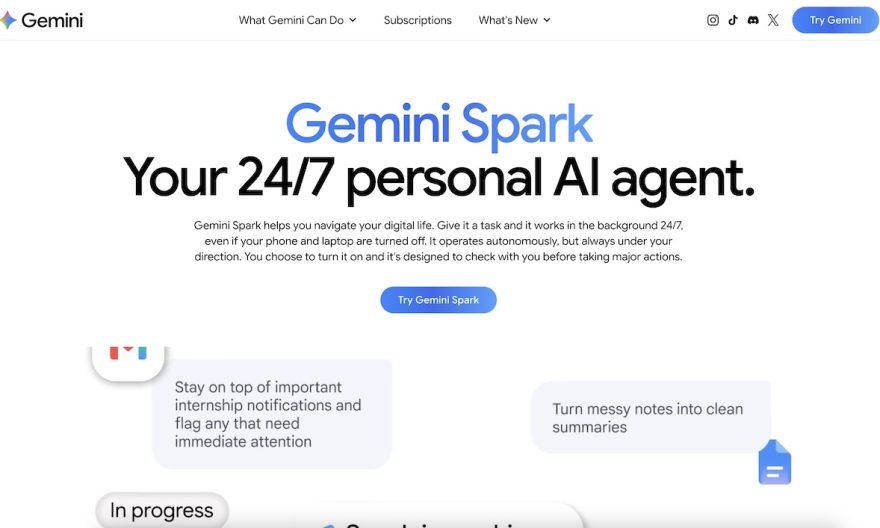
Gemini Spark: The Personal AI Agent
At the heart of the Gemini application is Gemini Spark, a personal AI agent available at all times. This tool is capable of handling complex tasks, such as summarizing projects by extracting information from Google services like Gmail and Google Drive. The features of Gemini Spark aim to simplify and speed up data management for the user.
This uninterrupted assistance enhances users’ ability to manage significant workloads while optimizing their time. By making information more accessible and automating certain tasks, Gemini Spark becomes a valuable ally in professional daily life.
Integrated Creative Features
The Gemini application is not limited to traditional AI assistance. It also integrates creative tools such as Nano Banana, which allows for generating personalized images, and Gemini Omni, designed for video creation and production. These features are fully integrated into the application, eliminating the need for additional software.
These creative tools represent a further step in Google’s commitment to enriching the user experience with practical and innovative solutions. In the future, Google plans to add more native features to further enhance the tool.
Google Deploys Gemini Spark on macOS
Alongside the deployment on Windows, Google has begun introducing Gemini Spark on macOS. This expansion allows Mac users to enjoy the same AI assistance benefits as Windows users. The integration of Gemini Spark on macOS includes similar features, with extended compatibility to adapt to Apple operating systems.
Mac users can thus easily access the AI assistant, which promises to improve their productivity and facilitate the management of their daily tasks. This initiative demonstrates Google’s commitment to offering cross-platform solutions, regardless of the platforms used.
Challenges of Competition in AI Assistance
The AI assistance sector is in full swing, with companies like Microsoft and Apple investing heavily in the development of intelligent solutions. Microsoft, for example, integrates the Cortana assistant into its products, while Apple continues to improve Siri. These major players seek to offer increasingly personalized and efficient user experiences.
Competition in this field pushes each company to constantly innovate to remain competitive. Technological advances, such as machine learning and natural language processing, are key elements driving this rapid evolution. The future of AI assistance will depend on companies’ ability to effectively integrate these technologies to meet users’ changing needs.
FAQ on the Gemini Application
How to activate the Gemini application on Windows?
To activate the Gemini application on Windows, use the Alt + Space key combination. This allows you to access the AI assistant without leaving your current window.
What is Gemini Spark?
Gemini Spark is a personal AI agent integrated into the Gemini application. It helps users manage complex tasks, summarize projects, and extract information from Google services, such as Gmail and Google Drive.
What creative tools are available in the Gemini application?
The Gemini application offers tools such as Nano Banana, for generating personalized images, and Gemini Omni, for creating and producing videos, all without requiring additional software.
Is the Gemini application available on macOS?
Yes, Google has begun deploying Gemini Spark on macOS, allowing Mac users to benefit from the same AI assistance features as those on Windows.