


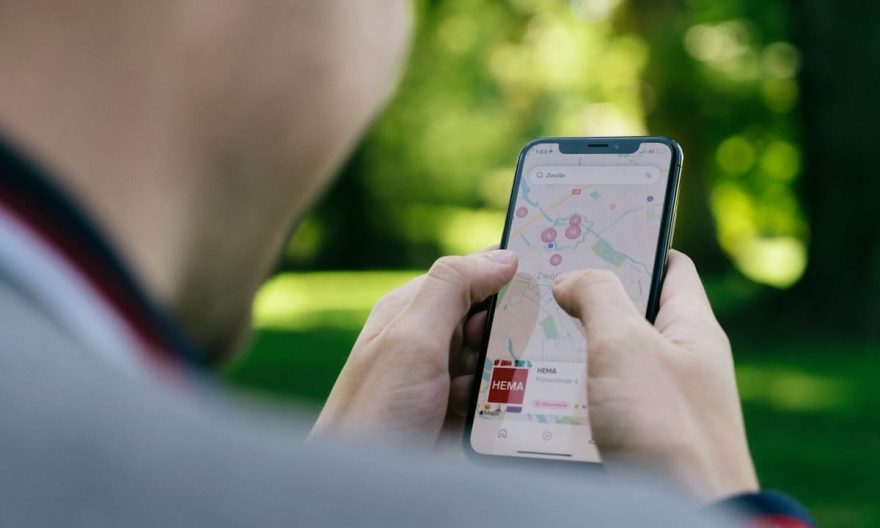
Google Maps is an essential application for many users, offering precise and intuitive navigation and location services. However, the application can also collect a lot of personal data, compromising your privacy and battery life. Learn how to adjust Google Maps settings for a more secure and optimized experience.
Key Points to Remember
- Google Maps records your trips and visits by default via Maps history.
- Enable incognito mode to prevent recording of your searches and trips.
- Limit automatic updates of offline maps to preserve your battery.
Imagine for a moment walking through an unfamiliar city, your smartphone in hand, guiding you precisely through the bustling streets. Yet, with every step, your device quietly records your movements, destinations, and even the duration of your stops. With Google Maps, this data is stored by default, but there are simple ways to regain control and ensure the privacy of your movements.
Manage Maps History: A Priority for Your Privacy
Google Maps keeps track of each of your movements through Maps history, a setting enabled by default. This continuous tracking can be disabled to enhance the protection of your data. To do this, access the application, click on your profile picture at the top right, then configure the “Web & App Activity” option. You can choose to keep this data for a limited time, such as three months, offering a compromise between functionality and privacy protection.
Un vide-dressing occasionnel rapporte rarement plus de 200 € par mois. Mais l'écart avec les vendeurs les plus performants est plus large qu'on ne le pense : 300 à 900 €/mois pour une activité régulière (2 à 5h/semaine), et 1 000 à 2 500 €+/mois pour les profils qui traitent Vinted comme un vrai canal de vente structuré. La différence ne tient ni à la chance ni à la taille du dressing de départ : elle tient presque entièrement à la méthode (algorithme, pricing, réactivité) appliquée avec régularité.
Avec 📘 Le Guide Vinted, transformez ce canal en revenu complémentaire structuré, voire en une vraie activité e-commerce.
Une méthode complète pour décoder l'algorithme, optimiser vos annonces comme une landing page, automatiser votre relance commerciale et sécuriser votre activité sur le plan fiscal.
🧠 Les 5 facteurs qui pilotent la visibilité de vos annonces (logique proche du SEO)
📈 Une méthode réplicable pour passer d'une activité occasionnelle à un revenu récurrent
⚖️ Statut, fiscalité, professionnalisation : rester en règle en montant en volume
🚫 Le chapitre que personne n'aborde ailleurs : comprendre et prévenir les blocages de compte
Incognito Mode: A Solution for Discreet Trips
For those who wish to keep certain trips confidential, Google Maps offers incognito mode. By activating it, your movements and searches are no longer recorded. Access this setting by clicking on your profile picture and selecting “Turn on Incognito mode.” Once activated, your movements will no longer be used to personalize the app’s recommendations.
Optimize Offline Maps to Preserve Battery
Offline maps are a valuable feature, especially in areas with poor network coverage. However, their automatic updating can drain your battery and consume your mobile data. To avoid this, go to “Offline Maps,” tap the gear icon, and choose to disable automatic updates. Prefer the “Wi-Fi only” option for your downloads.
Impact of Geolocation on Smartphone Battery Consumption
Geolocation, while convenient, is one of the biggest energy consumers on a smartphone. Apps that constantly use your GPS position, like Google Maps, can significantly reduce your device’s battery life. By optimizing location settings and limiting the use of GPS services to necessary moments, you can extend your battery life.
Digital Privacy: Issues and Solutions for Connected Users
In the digital age, privacy is a hot topic. Connected users, whether on Google, Facebook, or other platforms, must be aware of how their data is collected and used. Tools like password managers, VPNs, and app privacy settings can help protect their privacy.
FAQ on Managing Privacy and Battery with Google Maps
How to disable Maps history on Google Maps?
To disable Maps history, open Google Maps, click on your profile picture, then on “Web & App Activity.” You can choose to disable this feature or set a data retention period.
What is incognito mode on Google Maps?
Incognito mode on Google Maps allows you to suspend the recording of your searches and movements. It also prevents the app from personalizing its recommendations based on your past activities.
How to prevent automatic updates of offline maps?
To prevent automatic updates of offline maps, go to “Offline Maps” in Google Maps, tap the gear icon, and disable automatic downloads. Opt for “Wi-Fi only” downloads.
Why does geolocation consume so much battery?
Geolocation consumes a lot of energy because it uses GPS, which requires frequent data exchanges with satellites to determine your exact position. Limiting its use can help preserve your device’s battery.